
Connection manager (coming soon)
What is the Connection Manager?
In short: the Connection Manager brings together all possible connections to other apps, tools and accounts in one place. This offers many advantages for you. You can now clearly see in one central location:
- Which systems you can connect
- Whether a connection is active or not
- Our setup assistants help you configure each connection step by step.
Where can you find the Connection Manager?
Previously, these settings were spread across several areas of the app. Now, all available connections can be found in the https://app.bottimmo.com/connection-manager section, which is directly accessible via the sidebar.
Which systems can you connect?
In the Connection Manager, you can see all available connections:
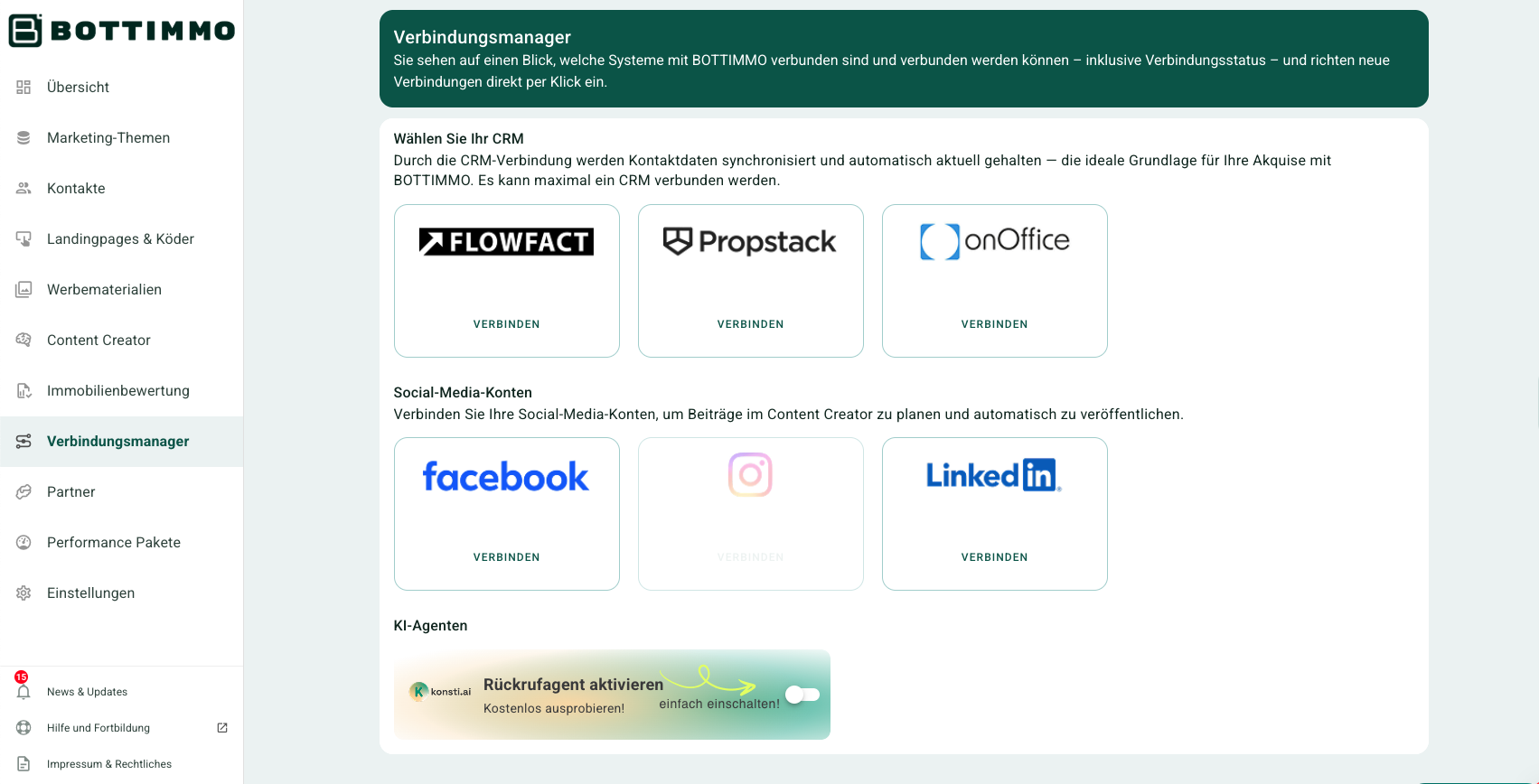
CRMs (customer management)
- Empro (coming soon)
- Casasoft (coming soon)
- Propstack
- Flowfact
- onOffice
Social media
Further connections are already in preparation. Stay tuned!
How to connect a system (in just a few steps)
- Open the Connection Manager.
- Click on the tool you would like to connect (e.g. Facebook or your CRM).
- The relevant connection assistant opens and guides you step by step.
How to check whether everything is connected correctly
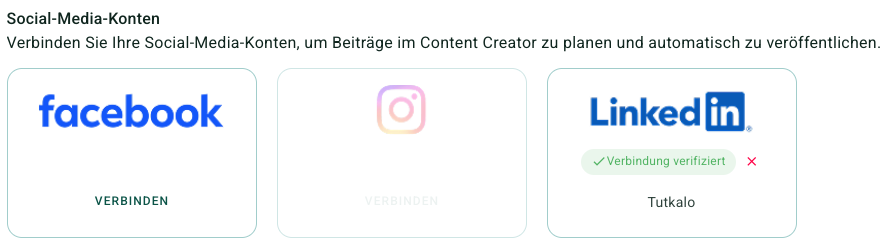
For each tool, you can see the status of the connection directly, for example:
In the screenshot below, LinkedIn is already connected, while Facebook is not yet connected. Instagram can only be added once a Facebook connection is in place:
⚠️ Important: The status may vary slightly depending on the tool. What matters is that you can always clearly see where you stand.
Tip for a quick start
Start with these two connections:
- Your CRM (for clean contact data and a clear overview)
- Facebook or Instagram (to increase your visibility)
This way, you will notice the benefits most quickly.