
Edit emails awaiting dispatch
You have the option of editing the next scheduled funnel email for an individual contact before it is sent. This allows you to address your contacts personally and tailor each email precisely to the respective situation – quickly and easily.
Where can you find the edit function?
You can find the edit function directly on the relevant contact.
Proceed as follows:
- Open the contact detail page.
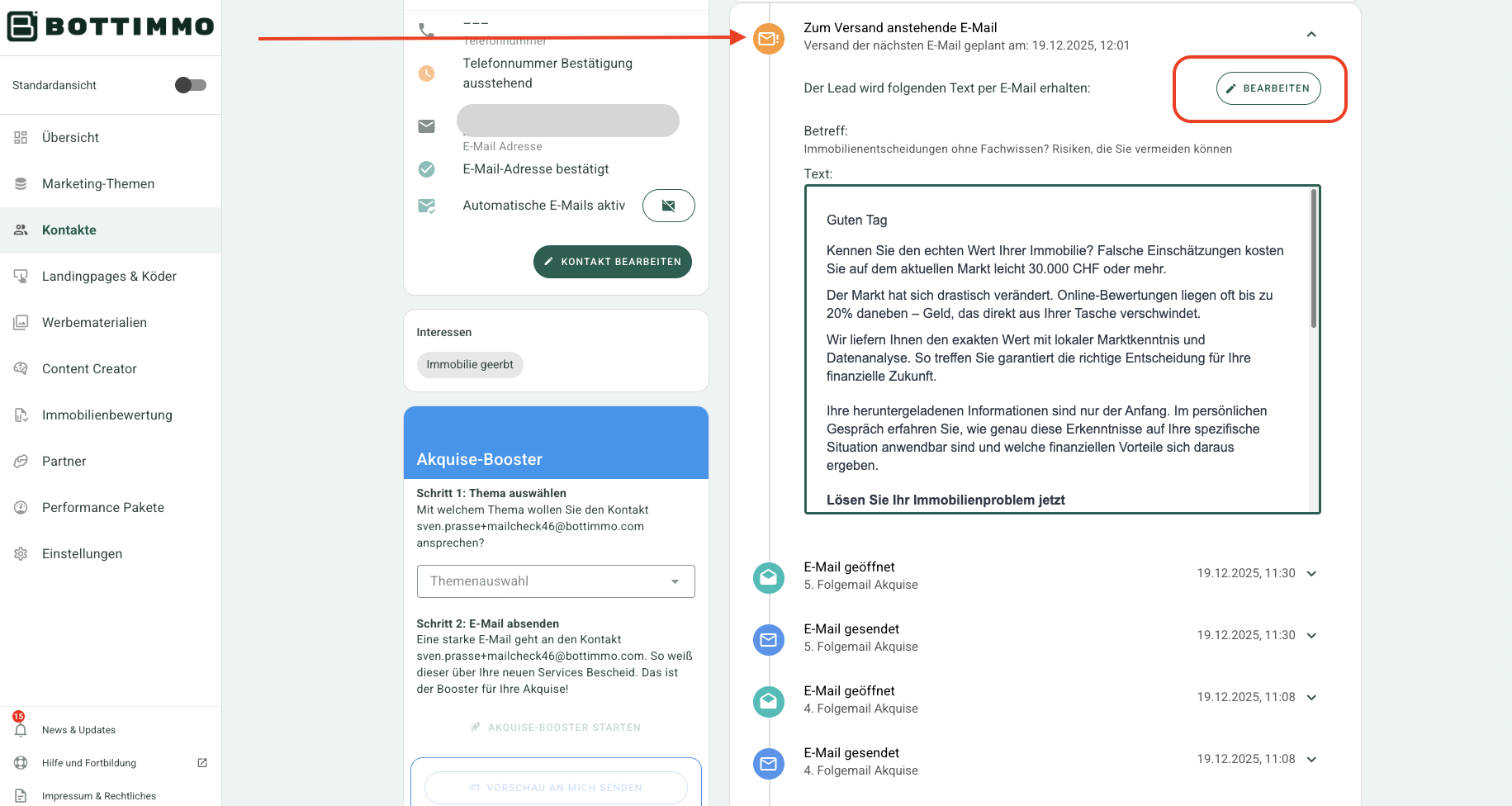
- If the contact receives emails from the email funnel, you will see the next scheduled email at the very top of the timeline.
- You can recognise this email by the orange icon.
- Click on this area.
You will now see the email that will be sent next. - At the top right, click on “Edit”.
- The edit window opens.
What can you change in the email?
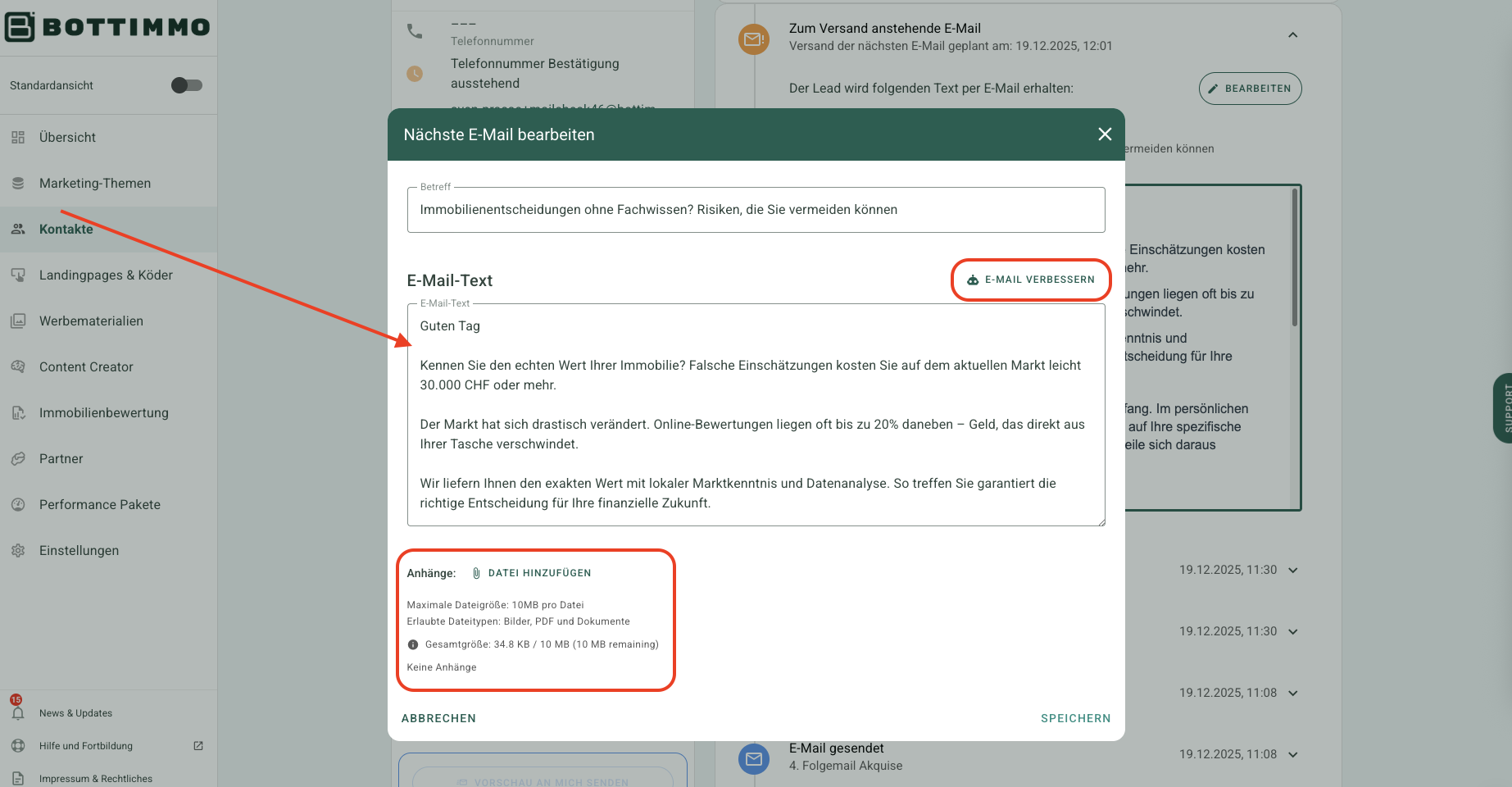
After clicking “Edit”, several simple options are available to you:
- Edit the email text
You can change the content of the email exactly as you wish. - Manually change the subject line
The subject line is the headline of the email that the recipient sees first. - Automatic revision by the BOTTIMMO AI
The AI (artificial intelligence, meaning automatic text assistance) adapts the text for you.
It uses the settings and data you have stored in BOTTIMMO. - Add attachments
For example, PDFs or other files.
Adding attachments – how it works
- Open the email edit function.
- Below the text field, click on “Add attachment”.
- The file window of your computer opens.
- Select the desired file.
- The file is uploaded and will be sent together with the email.
⚠️ Important: The attachment must be no larger than 10 MB.