
Connect CASAONE
Purpose of the connection
After setup, contacts between CASALEAD and CASAONE will be synchronized.
Synchronization means:
Data is automatically matched and kept up-to-date between two systems.
Step-by-step guide
1. Open Connection Manager
- On the left in the navigation bar in CASALEAD, you will find the Connection Manager
- .Open it by clicking.
- In the section CRM, you will find CASAONE as a separate tile.
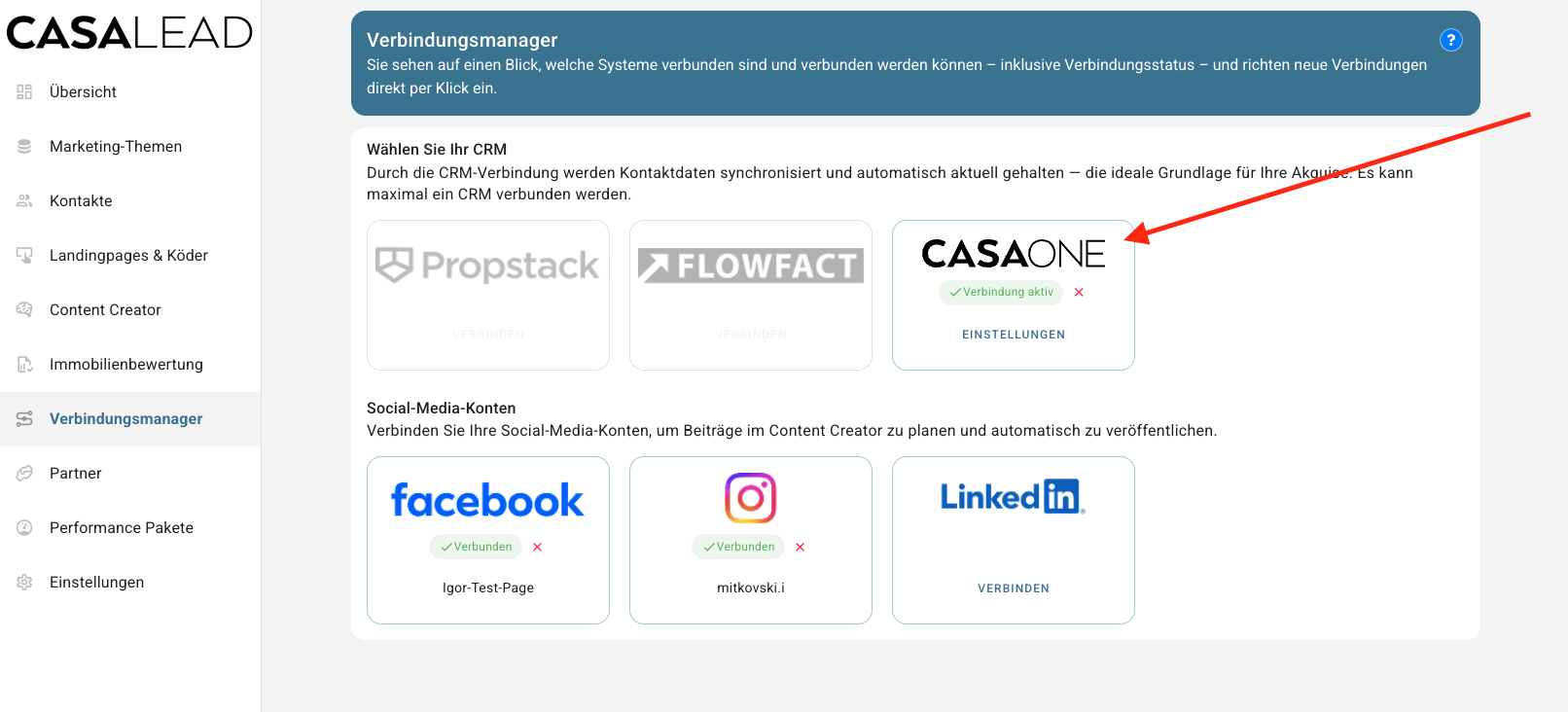
2. Start setup
- In the CASAONE tile, click on “Connect”
- A wizard (guided setup) will open and guide you through the next steps.
- Enter your CASAONE API-Key.
3. Select synchronization mode
Now you define how data is transferred between Bottimmo and Empro.
You have the following options:
- Manual export only
Contacts are only transferred upon request - Automatic export to CRM only
Contacts are automatically transferred from Bottimmo to Empro - Automatic import from CRM only
Contacts are automatically transferred from Empro to Bottimmo - Fully automatic import and export
Contacts are automatically synchronized in both directions
Select the appropriate option for your workflow.
4. Complete setup
- Click “Done”
The connection is now being set up.
A confirmation will appear in the wizard. - Close the wizard
Result
The connection between Empro and Bottimmo is now active.
Contact data can now be transferred according to your selected setting.
If you wish to make changes, reopen the connection manager.
ℹ️ Note: The Empro interface is available for all customers (Light, Basic, and Expert)
Can the synchronization be stopped again?
Yes, in the Connection Manager, the connection can be disconnected again in the Propstack tile.
What happens if synchronization is stopped?
From this moment on, no more data will be transferred between Propstack and BOTTIMMO. Synchronization can be stopped and restarted at any time with a click.